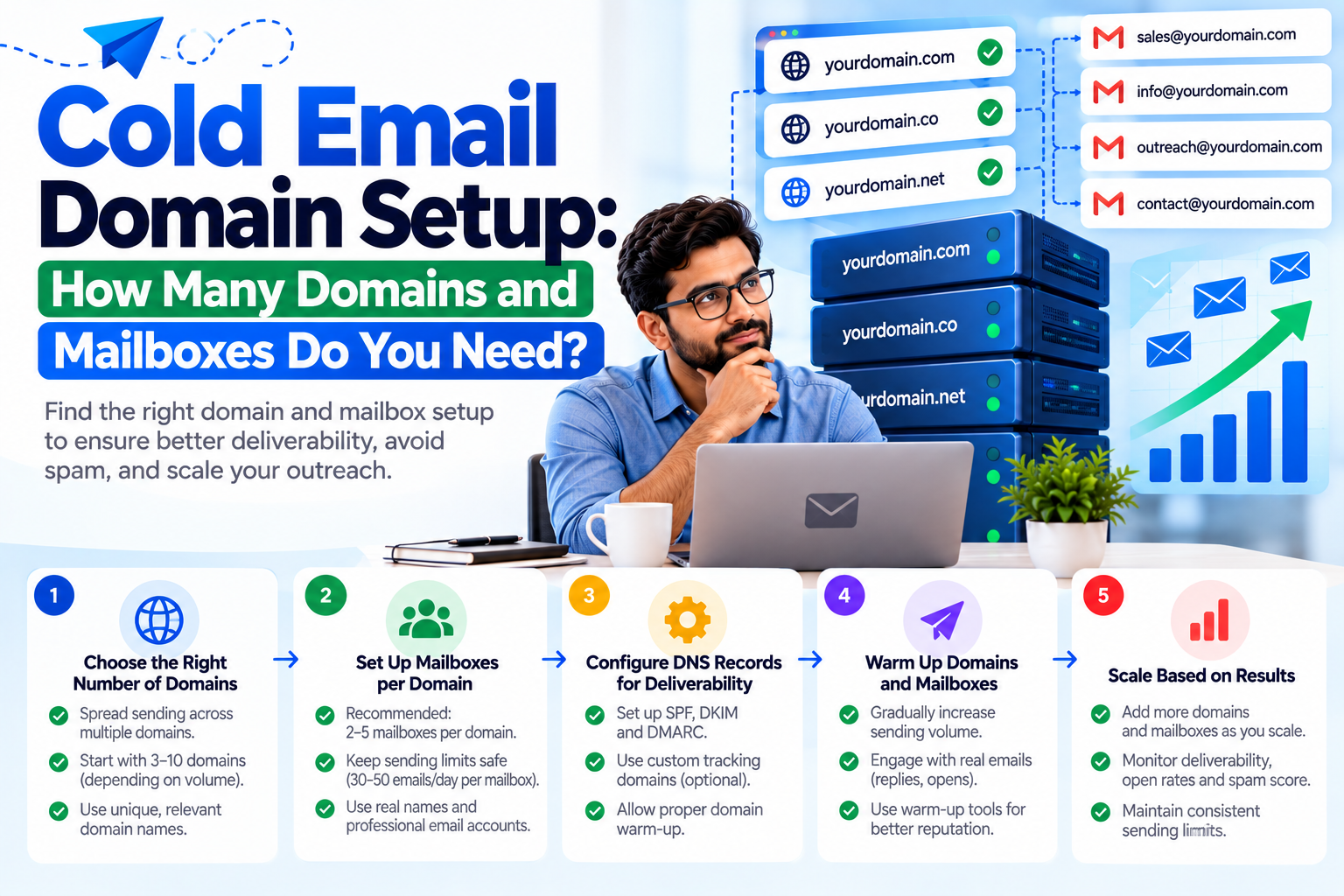
Cold Email Domain Setup: How Many Domains and Mailboxes Do You Need?
Domain configuration is one of the first technical decisions businesses need to consider when building a cold email outreach operation.
The right setup depends on factors such as the company’s existing email environment, outreach volume, business structure, security requirements, and operational needs.
Rather than focusing only on the number of domains or mailboxes, businesses should build an infrastructure that is reliable, manageable, and aligned with responsible email practices.
Why Does the Domain Matter?
A domain is part of your company’s digital identity.
When customers or prospects receive an email, the domain can influence how they recognize the sender and understand the relationship between the message and the business.
For this reason, domain strategy should be approached carefully.
Businesses should avoid creating confusing or misleading domains that could make recipients believe they are communicating with a different organization.
Primary Business Domain vs Outreach Infrastructure
A company may already use its primary domain for employees, customers, invoices, support, and other operational communication.
If the business also runs a substantial outreach program, technical teams may evaluate whether different communication functions should be separated.
The appropriate approach depends on the organization’s requirements and risk management strategy.
The objective should be clear separation of functions where necessary, not simply creating large numbers of domains.
How Many Mailboxes Are Required?
There is no universal number of mailboxes that is appropriate for every business.
The requirement depends on the size of the team, campaign structure, sending practices, target audience, and technical platform.
Each mailbox should be properly managed and monitored.
Businesses should also maintain documentation showing which mailbox belongs to which domain and which team or campaign is responsible for it.
Configure DNS Correctly
DNS configuration is one of the most important parts of domain setup.
Businesses should review:
- MX records
- SPF records
- DKIM configuration
- DMARC policy
- DNS propagation
- Sending authorization
Incorrect records can cause authentication or mail delivery issues.
DNS changes should therefore be tested before a campaign becomes operational.
Set Up Email Authentication
Every outreach domain should be configured with appropriate authentication.
SPF identifies authorized senders.
DKIM provides cryptographic message signing.
DMARC provides policy and reporting capabilities for authentication.
Together, these technologies create an important technical foundation for modern email communication.
Consider Domain Reputation
Domain reputation is an important consideration when sending business email.
A domain associated with high complaint rates, poor-quality data, or problematic sending practices may face delivery challenges.
Businesses should therefore prioritize recipient relevance and responsible campaign management.
Manage Mailboxes Properly
Creating mailboxes is only the beginning.
Organizations should establish processes for account management, password security, administrative access, monitoring, and employee responsibilities.
Unused or compromised accounts should not remain active indefinitely.
A structured management process becomes especially important when the number of domains and mailboxes increases.
Scaling Your Outreach Infrastructure
Businesses that expect outreach operations to grow should design an infrastructure that can be managed efficiently.
This may involve standardized DNS configuration, centralized documentation, consistent naming conventions, monitoring, and administrative procedures.
Automation can also help organizations manage repetitive tasks where appropriate.
However, automation should not be used to bypass email-provider policies or send inappropriate volumes of unsolicited messages.
TechFuse MarkTech for Email Infrastructure
TechFuse MarkTech helps businesses with professional email infrastructure, domain configuration, server email solutions, Google Workspace administration, authentication, mailbox management, and outreach-related technical requirements.
Our approach focuses on building an organized infrastructure that businesses can manage as their communication requirements evolve.
Final Thoughts
There is no magic number of domains or mailboxes that guarantees successful cold email outreach.
The correct infrastructure depends on the business, its communication requirements, sending practices, and technical environment.
Businesses should focus on proper domain ownership, authentication, mailbox management, data quality, reputation, and responsible outreach.